|
*Offer valid with purchase of any new Surface Pro Copilot+ PC or Surface Laptop Copilot+ PC made between February 2nd, 2026 – June 30th, 2026 (the “Promotion Period”) after trade in of qualifying device where the customer submits the online trade-in claim for their used device, plus proof of purchase for new device during the Promotion Period, while supplies last. Available only in Microsoft Store online in the United States. Refurbished device purchases do not qualify for the offer. To be eligible for trade in, (i) you must own the qualifying device, (ii) the device must power on, (iii) the battery must hold a charge (the device must not be required to be plugged in to operate), and (iv) the device must be in fully-functional, working condition and not have broken or missing components, a cracked display or screen, liquid damage, modification(s) or the device warranty seal broken. The device cannot be password protected and must include its original chargers, accessories, and hard drive. Customer must mail in the qualifying trade-in device to be eligible for reimbursement within 15 days of completing the online trade-in process. Devices determined to not meet eligibility criteria may be shipped back to the customer or recycled. Recycled devices are not eligible for cash back. All trade-ins are final. Trade in value depends on device type and condition after inspection by Teladvance. All trade-ins and reimbursements are subject to Teladvance’s sole discretion and approval. See Microsoft Store Trade-in Program for steps and requirements. Not valid on prior orders or purchases; cannot be transferred or otherwise redeemed for cash or gift cards, or credit towards other devices or products. May not be combined with other offers. Void where prohibited or restricted by law. Microsoft reserves the right to modify or discontinue offers at any time. Limit of 1 trade-in per qualifying Surface device purchase per customer.
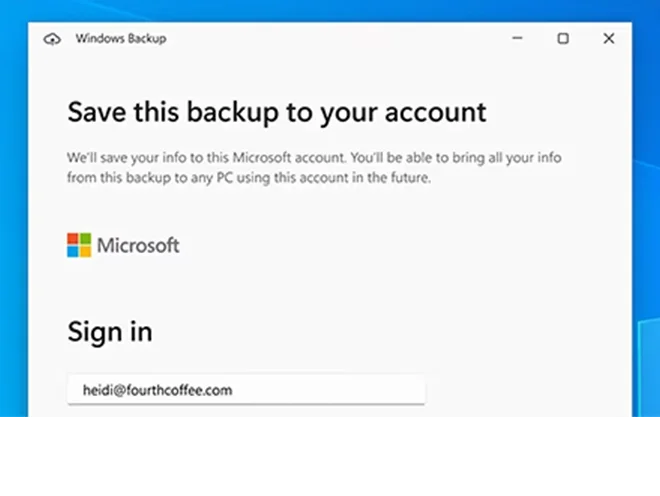
¹Backs up files, settings, and apps from PCs running Windows 10 or 11. Requires Microsoft account; data transfers exceeding 5 GB require Microsoft subscription or trial. Some apps require manual reinstallation from the original app provider and some may not be compatible with Arm devices. See WOA for Arm-compatible apps and Windows Backup for details.
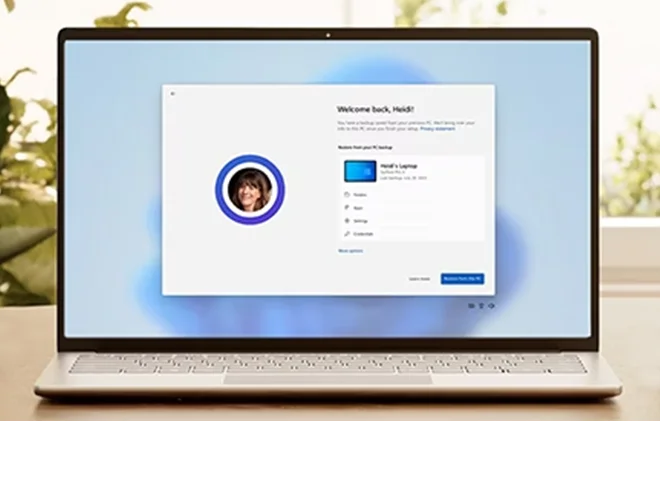
²Using Windows Backup to restore to a Windows 11 PC requires you to sign in during initial device setup with the same Microsoft account you used for Windows 10 PC backup.
³Based on Microsoft internal testing conducted April 2025 using Geekbench 6 Multi-Core benchmark, comparing Surface Pro, Copilot+ PC, Snapdragon® X Plus (8 Core) processor with Surface Pro 9 with Intel® Core™ i5.
⁴Based on Microsoft internal testing conducted April 2025 using Cinebench 2024 multithread benchmark, comparing Surface Laptop, Copilot+ PC, Snapdragon® X Plus (8 Core) processor with Surface Laptop 5 with Intel® Core i5 processor.
⁵Windows 11 Survey Report. Techaisle, September 2024. Windows 11 results are in comparison with Windows 10 devices.
⁶For all Protection Plans, please read the Terms and Conditions for the limits of what we will cover and the things that are not covered under the Protection Plan.
In the US, Protection Plans are classified as a service contract per state regulations.
This information is provided for summary purposes only. Terms and conditions apply; visit here to review your protection plan. Coverage is provided by Northcoast Warranty Services, Inc., 800 Superior Avel, E, 21st Floor, Cleveland, OH 44144 (in FL: coverage is provided by Technology Insurance Company, Inc. (as obligor), 59 Maiden Ln., 43rd Fl., NY, NY 10038, FL Lic. #03605) (in TX: Northcoast Warranty Services, Inc. is the Service Contract Administrator, TX Lic. 651). None of the aforementioned parties are affiliated with any manufacturer.
For protection plan support visit Microsoft Support.
|