|
|
Download the newest update of Figarc while singing “To to ro, to tooro!”
|
View in browser
|
|
|
|
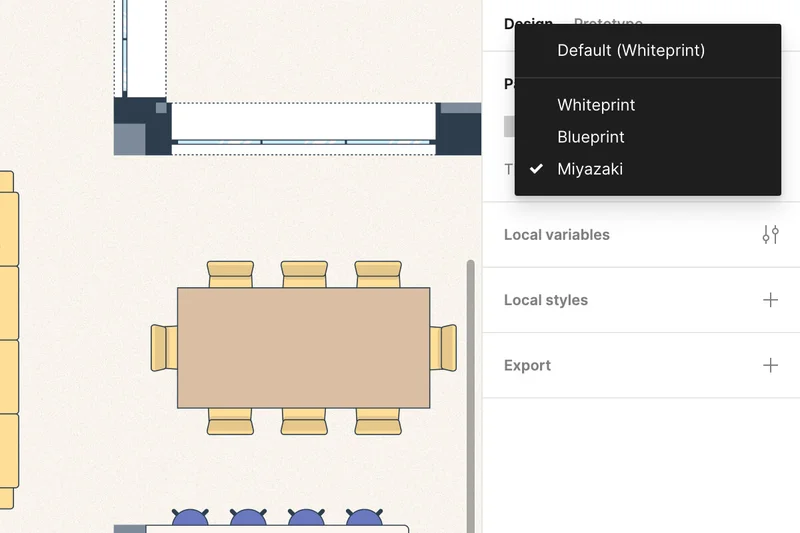
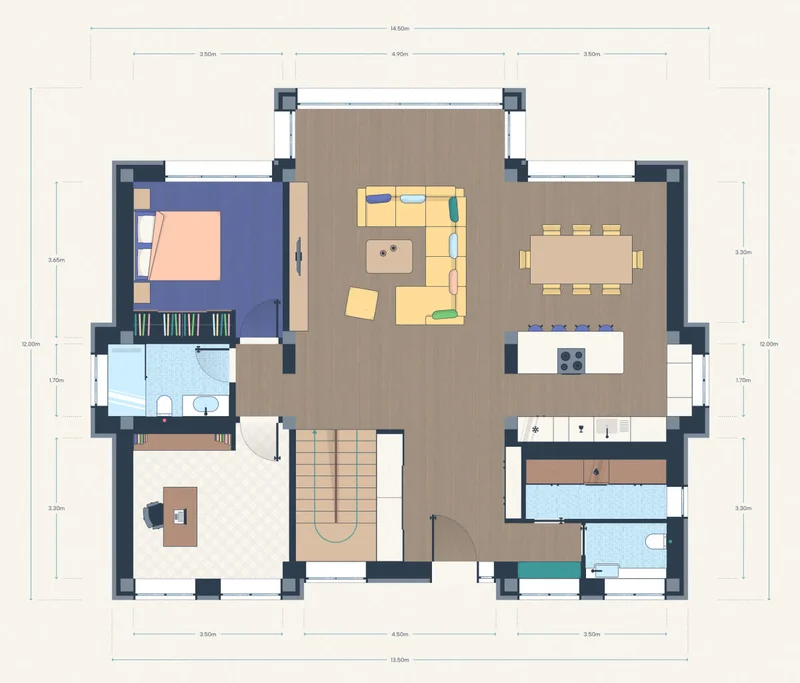
Big, big update! Aside from the Whiteprint and Blueprint visual themes, Figarc just released a third one. It‘s called Miyazaki, and it looks like this:
|
|
|
|
|
|
|
The theme mimics the deep colors and visual aesthetics used by the legendary illustrator Hayao Miyazaki, who drew the scenes for all Ghibli animated movies. So, if you find yourself murmuring, “To to ro, to totoooro” while you visualize your home or office in Figarc, then this theme might‘ve influenced you. 😊
|
|
|
|
|
|
|
|
But let‘s get back to the technical part. Like the other themes, the Miyazaki theme is built with variable modes. You can find the theme switch in the top-right corner of your Figma file, and with a single click, you can change the visual theme to your entire floor plan.
|
|
|
|
If you are already a Figarc customer, head on to your customer portal to download the update, or ping me so I can resend you the download link.
|
|
|
|
For everyone else, you can get Figarc with this big, big update at the same price!
|
|
|
|
That‘s all for now. Coming next:
Realistic theme. Until then, turn on some lo-fi tunes and enjoy drawing
your dream home in Figma.
|
|
|
|

|
|
|
Zak from Figarc
|
|
|
|
|
|

|
|
|