Hey Paperliker,
Can you believe it’s almost the last quarter of the year?
My kids are back to school—finally! I mean… I’m totally heartbroken.
But really, who says learning is just for students?
This month, I’ll be diving into the latest news on notetaking apps, sharing updates from my productivity journey, and offering tips on how you can keep leveling up your own learning.
Let’s get to it! |
|
App-ventures in notetaking: What’s new and noteworthy
I love that notetaking apps are always updating, offering even more features to enhance your productivity and creativity. It’s been a little bit since I’ve shared these updates, so let’s catch up.
Goodnotes 6
First up, the new Apple Pencil Pro takes your notetaking to the next level, and Goodnotes wanted to make sure you could take full advantage of this new tool. Curious about all the cool things you can do? Find out more on their blog.
Plus, Goodnotes is soon rolling out an AI-powered tool called Ask Goodnotes. Imagine having a smart assistant right in your notebook, ready to help with anything you need. Get a sneak peek here.
You’ll also enjoy real-time transcriptions on all your audio recordings (something Notability started doing earlier this year), the ability to search in the Marketplace, and the new Time Keeper feature, which allows you to track your time, use Pomodoro timers, and tailor timer settings.
Notability
The latest from Notability includes small features, like the ability to control the layer position of overlapping images, stickers with the Send Forward and Backward options, and the Squeeze to Erase gesture with the new Apple Pencil Pro.
To take a look at Notability’s most recent updates and some tips and tricks on how to master the app, you can check out our YouTube video.
Nebo
Nebo is one of my favorite apps for more creative notetaking, and they just had a massive update with the launch of Nebo 6!
This update includes a bunch of new improvements around organization and document management (which was much needed). Plus, they've renamed notes and documents for clearer, more intuitive navigation.
You can check out all the changes in Nebo’s blog.
Noteshelf & CollaNote
Both of these popular apps just launched a third version. Each one came with a bunch of new upgrades and features, so it’s hard to cover it all here.
Fortunately, each app created a YouTube video that you can watch to see all the changes. Check out Noteshelf 3’s video here and learn about CollaNote 3 in their YouTube video.
|
|
This month: Level up your learning
Ready to take your learning to the next level? Whether you're looking to boost your career or dive into a new hobby, these top learning platforms have a wide range of classes and courses to help you achieve your goals.
Explore these options to find the perfect fit for your educational journey:
- Skillshare is a subscription-based platform with a diverse range of creative and professional classes taught by industry experts.
- Udemy also offers a variety of different classes, but you have to buy each individual course with lifetime access.
- Coursera provides a range of courses and degree programs with options for free auditing, paid certificates, and subscription-based access through Coursera Plus.
- Domestika offers a variety of creative courses with a pay-per-course model, giving you lifetime access to each course you purchase.
- Study Hall provides a range of educational resources, including live and recorded content, with free access to some materials and premium options for specific courses and workshops.
You should be able to find something that either inspires you or helps you grow your career skills on one of these platforms. Now, get going! |
|
Lindsay’s productivity spotlight: Time Blocking
This year, I’m on a mission to test-drive some fresh productivity methods.
Each month, I'll explore a different approach for a few weeks and then share all the details of my experience.
About Time Blocking
This month, I wanted to improve my time management, so I tested time blocking.
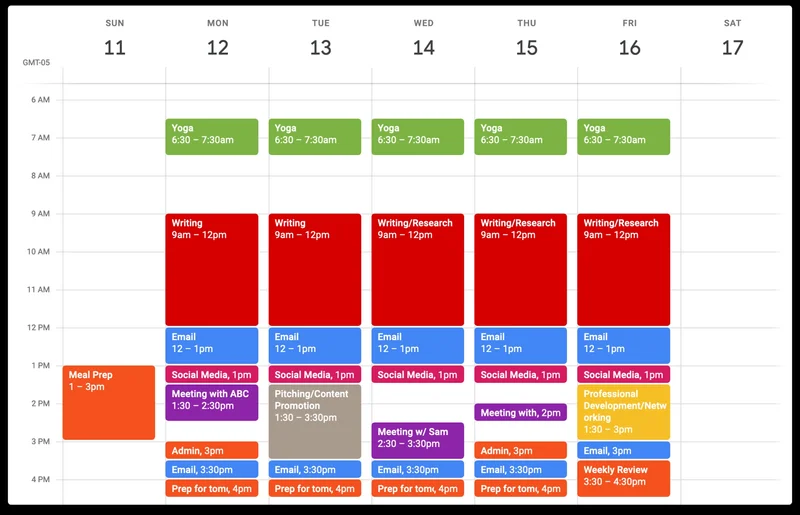
Time blocking is a time management method in which you divide your day into distinct blocks of time, each dedicated to a specific task or group of tasks. It's like creating a daily schedule but with more intention and specificity.
The concept: Instead of working from a to-do list, you assign every task a specific time slot in your calendar.
For example, from 9 AM to 11 AM, you might block out time for focused work on a major project. From 11 AM to 11:30 AM, you might have a block for email and communication.
The goal: By scheduling your tasks, you can ensure that you allocate enough time for important work, minimize distractions, and maintain a balanced workload throughout the day.
You can learn more about Time Blocking by checking out Todoist’s or Clockwise’s blog on the method. |
|
Blocking out my time
As someone who often finds myself juggling multiple tasks at once, I was eager to see how time blocking could help streamline my workflow and boost my productivity.
What was I aiming for? To increase my efficiency by eliminating multitasking and focusing on one task at a time. I also hoped to reduce the stress and overwhelm that often come with a packed schedule.
Armed with my digital planner, I set out to block my time. I started by identifying my top priorities for the month and breaking them down into smaller, manageable tasks. Then, I allocated specific time slots for each task, making sure to include breaks and buffer time between blocks.
The first week was a learning curve. I often underestimated the time needed for certain tasks, leading to a few stressful overlaps. However, by the second week, I began to get a better sense of how to block my time accurately.
There were a few challenges along the way.
Sticking to the schedule was harder than I anticipated, especially when unexpected tasks popped up, or meetings ran over.
It required a level of discipline and flexibility that I wasn’t used to. There were also days when I felt constrained by the rigid structure and longed for a bit more spontaneity.
To overcome these hurdles, I made a few adjustments. I started setting aside a block of time each day for unplanned tasks and contingencies. This gave me the flexibility to handle the unexpected without derailing my entire schedule.
I also learned to be more realistic about how long tasks would take, gradually improving my ability to estimate time requirements.
By the end of the month, I noticed a significant improvement in my productivity. I was completing tasks more efficiently and felt less frazzled at the end of the day.
The clear boundaries between work and breaks helped me stay focused during work periods and truly relax during breaks.
Overall, my experience with time blocking was eye-opening. It took some trial and error to find a rhythm that worked for me, but the benefits were well worth the effort. I now have a better grasp of how to manage my time effectively and intend to continue using time blocking to keep my productivity on track. |
|
Gear up for the back-to-school season
Prepare for the back-to-school season with all the tools you need to succeed!
Head over to our Back to School page, where you'll find valuable notetaking resources and insightful blogs to enhance your study routine.
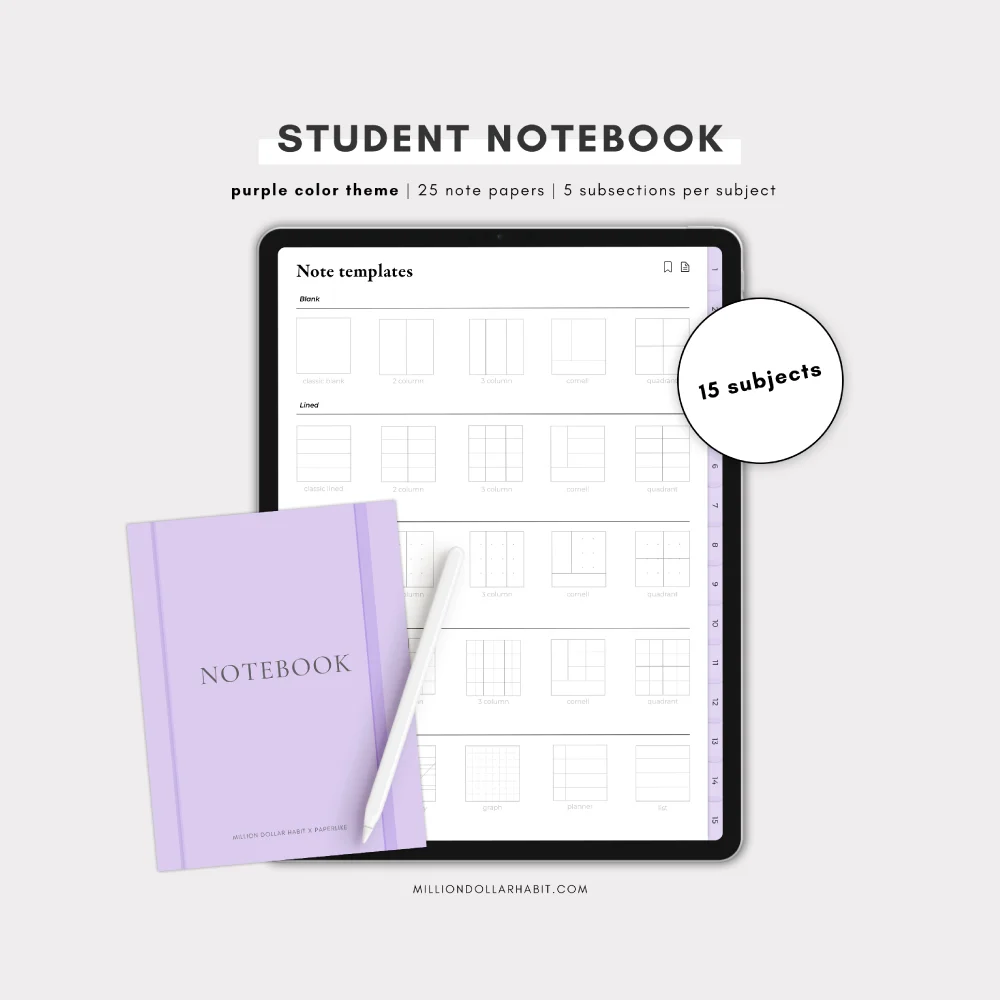
Plus, take advantage of our special offer: with every purchase, you’ll receive a 15 Subject Digital Notebook by Million Dollar Habit, compatible with Goodnotes and Notability. It's the perfect addition to help you stay organized and efficient throughout the school year.
|
|
Wrap up
Thanks for joining us on this back-to-school journey!
We hope you find the resources and offers valuable as you gear up for a new season of learning and growth. If you have any questions or need assistance, feel free to reach out.
Wishing you a productive and successful school year ahead!
Lindsay
Productivity & Notetaking Writer
Paperlike |
|
This email was sent to name@example.com because you've subscribed to our newsletter or made a purchase through our site. You can change your content preferences anytime.
No longer want to receive these emails? Unsubscribe. Paperlike GmbH Ballindamm 3 Hamburg, Hamburg 20095 |
|
|
|
|