Hey Paperliker,
It’s back-to-school season, but you don’t need a backpack or a class schedule to join in. This time of year just has that fresh-start feeling, whether you’re stepping into a lecture hall or simply looking for ways to sharpen your skills.
This month, we’re exploring how to keep learning long after you’ve left the classroom. From online courses to tools that spark curiosity, we’ve gathered resources to help you grow — wherever you’re starting from. Plus, as always, you’ll find the latest notetaking app updates and a new tool in our productivity spotlight.
Let’s get learning.
|
|
App-ventures in notetaking: What’s new and noteworthy
New month, new features! Here’s what’s been happening in some of your favorite notetaking apps.
- Goodnotes
- Whiteboard is here! (Well… almost.) This brand-new feature is currently in beta and lets you brainstorm, collaborate, or just spread out your ideas on an endless canvas.
- Noteshelf
- Dashed & dotted lines with the pen tool. Perfect for planners, diagrams, or just adding a little flair.
- The Ruler. Finally! Draw clean, straight lines by adding the ruler from the toolbar shortcut for quick access.
- MarginNote 4
- Study Set Style Management: Each study set now gets its own exclusive style customization. Tweak highlight colors, handwriting toolbars, and more in the Annotation Tool settings.
- Import/Export Study Set Styles: Bring your favorite styles with you — or share them — down to the smallest detail (highlight colors, toolbar favorites, etc.).
- UI & Experience Updates: Pop-up menus are smoother, inline links are easier to spot, and you can now customize your toolbar favorites for even faster access.
- Zoho Notebook
- AI Transcription instantly turns your spoken words (meetings, lectures, podcasts, you name it) into accurate, editable text.
- AI Mind Map automatically transforms your notes into clean, visual mind maps so you can see the big picture in seconds.
That’s it for this round! Keep your apps up to date so you can start using the newest tools as soon as they land.
|
|
This month: Keep learning, no classroom required
Who says back-to-school is just for students? Whether you’re chasing a new skill, exploring a hobby, or leveling up your career, there are plenty of ways to keep learning.
- Coursera offers online courses from top universities and companies around the world, covering everything from productivity and personal development to coding, business, and design. You can learn at your own pace, earn certificates, and even audit many classes for free.
- GoSkills offers bite-sized online courses in everything from Excel and project management to time management and design. Learn at your own pace, track your progress, and build practical skills you can actually use.
- MasterClass offers high-quality video courses taught by industry legends — think storytelling with Neil Gaiman, leadership with Anna Wintour, or cooking with Gordon Ramsay. It’s not about grades or deadlines. It’s about learning from the best, at your own pace, just because you want to.
- YouTube is an obvious choice to learn something new. With thousands of free tutorials, deep-dive explainers, and creator-led lessons on everything from digital planning to productivity hacks, it's one of the easiest ways to follow your curiosity.
From quick tips to in-depth courses, the right resources can turn any season into a learning season.
|
|
Lindsay’s productivity spotlight: Trello
Last year, I dove headfirst into testing out different productivity methods. And honestly? I think I’ve tried them all, or at least all the most popular ones.
This year, I’m shifting gears. Instead of focusing on methods, I’ll explore the tools, apps, and software that can help boost productivity. The best part? I’ll tie them back to the methods we tested last year to show how they can work together.
|
|
About Trello
When I tested the Kanban Method last year, I loved how the visual layout kept my work organized and my progress clear. If I were sticking with my usual tools, I’d probably have gone straight for Notion — its board view works perfectly for Kanban, and I already use it daily. But since I wanted to try something new, I went with Trello.
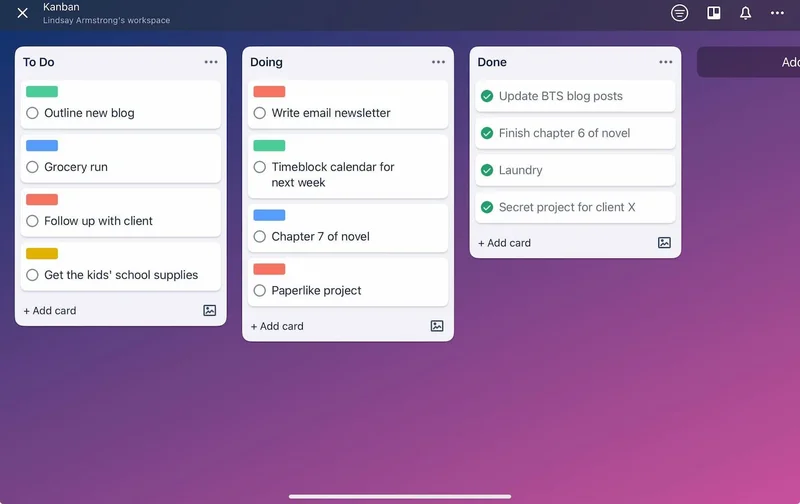
Trello is a visual project management tool built around the Kanban approach. You create boards, add lists (columns), and fill them with cards representing your tasks. As you work, you move the cards from one column to the next until they’re done.
The concept: Use a simple, visual system to break your work into stages and track it from start to finish.
The goal: Keep your workflow organized, limit what’s in progress, and maintain focus without losing sight of the big picture.
|
|
My Trello board: clean columns, colorful labels, and a satisfying drag-and-drop workflow. (Trello / Screenshot by Lindsay Armstrong / Paperlike) |
|
Putting Trello to the test
I started by creating a new Trello board with columns for To Do, In Progress, and Done. I added cards for my Paperlike projects, other client work, and a few personal to-dos so I could see everything in one place.
To make sure urgent tasks didn’t get buried, I used Trello’s color-coded labels to flag priorities and the filter tool to quickly find them when needed.
The setup was quick and intuitive. I loved that I could color-code cards, add due dates, and attach checklists without leaving the board view. Trello’s drag-and-drop workflow felt just as satisfying as the Kanban boards I’d used before, but its built-in features took the organization up a notch. Labels and filters helped me sort tasks fast, and the calendar view gave me a better handle on deadlines.
One familiar challenge? I still had to watch my In Progress column. Trello made it tempting to start too many tasks at once, but sticking to a self-imposed limit kept me focused and productive.
One small win: Trello’s checklists quickly became my favorite feature.
For tasks with multiple steps, being able to tick off sub-items without cluttering my main board gave me the clarity I needed without overwhelming the view. It made even big projects feel more manageable.
By the end of the month, Trello had become my go-to hub for managing multiple projects. It offered the same visual clarity I loved about Kanban, with more flexibility and customization than a basic board.
Notion may still be my all-in-one favorite, but for pure Kanban boards, Trello more than holds its own.
|
|
Free ebook: How to learn anything
Whether you’re diving into a new semester or just soaking up that fresh-start energy, we’ve got resources to make the season a little more productive, creative, and organized.
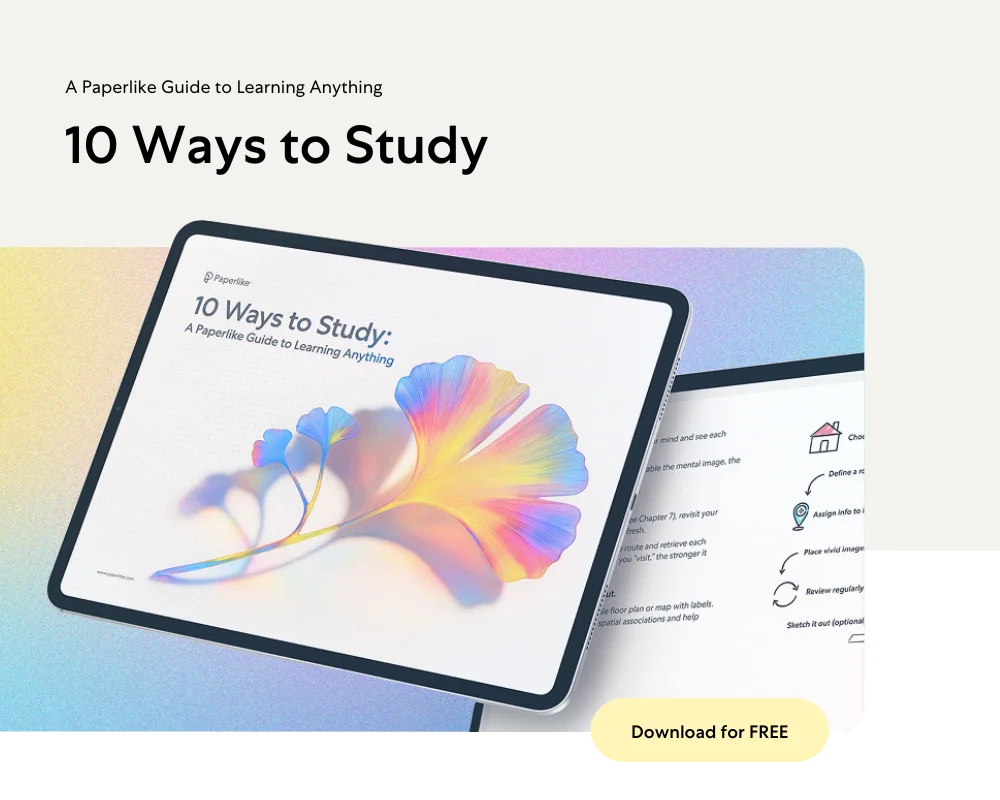
10 Ways to Study — a Paperlike Guide to Learning Anything
Need a smarter way to study? Our free guide walks you through 10 research-backed techniques to help you actually learn (and remember) what you’re working on.
Inside, you’ll find clear, illustrated explanations for each method, tips on when to use them, and a quick quiz to match you with the ones that fit your style and goals. Whether you’re cramming for exams, diving into a new subject, or just brushing up on your learning habits, this guide helps you build a study system that works for you.
Your Back-to-School Reading List
We’ve been busy updating content on the Paperlike blog to help you start the season strong:
From study strategies to gear guides, there’s something here for every type of learner and creator.
|
|
That’s a wrap!
Back to school or back to self-growth — whatever your season looks like, we hope you found something here to spark your curiosity and keep you moving forward.
Now go ace the month ahead. 🙌
Cheers!
Lindsay
Productivity & Notetaking Writer
Paperlike |
|
This email was sent to name@example.com because you've subscribed to our newsletter or made a purchase through our site. You can change your content preferences anytime.
No longer want to receive these emails? Unsubscribe. Paperlike GmbH Ballindamm 3 Hamburg, Hamburg 20095 |
|
|
|
|