Hey Paperliker,
Lately, I’ve been thinking about how much easier it is to stay productive when you’re not doing it alone.
This month is all about community. The people, tools, and spaces that help us focus better together. From new collaboration features in Goodnotes to creative groups worth joining, it’s a reminder that productivity doesn’t have to be a solo act.
Let’s dive in.
|
|
App-ventures in notetaking: What’s new and noteworthy
This month’s theme is community, and the notetaking world is right there with us.
Goodnotes just released its biggest update yet, and the highlight is real-time collaboration. You can now share a doc and work together live, seeing updates appear instantly as everyone writes, draws, or edits. It feels less like passing notes and more like being in the same room.
The new Whiteboard canvas is another standout. It gives you space to brainstorm freely, map ideas, and make sense of the messy middle together.
Here’s what else is new in the notetaking app world:
- We told you last month that Nebo rebranded to MyScript Notes. Check out what that means and what changes you can expect on their blog.
- Noteshelf 3 added a tape tool that lets you hide, reveal, or decorate your pages. They also made some upgrades for iOS 26.
- Evernote introduced a new logo and nested tags for Teams users, making shared workspaces easier to manage.
- Zoho Notebook is ready for iPadOS 26 with a sleek Liquid Glass design, Apple Intelligence integration, and on-device transcription for private notetaking.
|
|
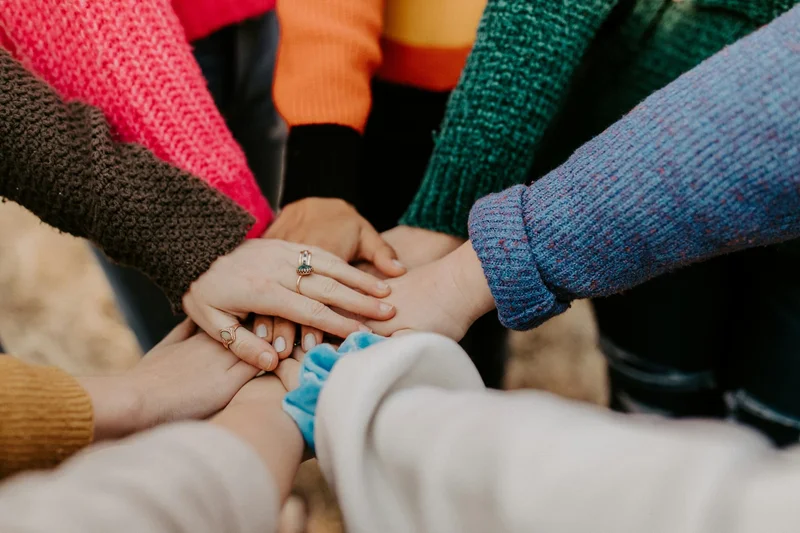
Image: Hannah Busing on Unsplash
This month: Finding community amidst the chaos
When life gets loud, community keeps us grounded.
We’ve seen it firsthand. This month, some of our creators shared how Paperlike™ 3 fits into their routines, helping them stay focused, inspired, and connected. Take a look at how Stefan Kunz, Angelica Georges, and Harrison Howard use their setups to create space for creativity and calm.
Community looks different for everyone. Sometimes it’s a small group that keeps you accountable. Sometimes it’s the creators who remind you to slow down and keep showing up. What matters most is knowing you’re not doing it alone.
I’ve learned that community gives us perspective. It’s easy to lose focus when you’re working in a bubble, but seeing how others tackle similar goals or recover when things don’t go as planned makes progress feel more human. That’s why I included a list of productivity communities to explore this month. These are spaces where people share wins, trade ideas, and help each other grow.
And if you’re already creating with your iPad, we’d love to see what you’re working on. Some of our favorite community moments come from people who simply share their process on Instagram or TikTok and inspire others to do the same.
Community isn’t just about connection. It’s about momentum and finding the people who help you keep moving forward.
|
|
Image: Lindsay Armstrong / Paperlike
Lindsay’s productivity spotlight: The Ivy Lee Method
Last year, I tested out every productivity method I could find, from Eat That Frog to Kanban. But somehow, I missed one of the simplest and most effective systems out there: The Ivy Lee Method.
So this month, I decided to give it a try.
About the Ivy Lee Method
This classic productivity strategy has been around for over a century, but it still works because of its simplicity. It’s a daily planning routine designed to take the guesswork out of your mornings and help you focus on what truly matters.
The concept: At the end of each workday, write down the six most important things you need to accomplish tomorrow. Rank them in order of priority. When the next day starts, focus only on the first task. Once that’s done, move to the next. Any items left unfinished will be transferred to your new list the following evening.
The goal: To cut decision fatigue and stay focused on what truly matters, one task at a time.
|
|
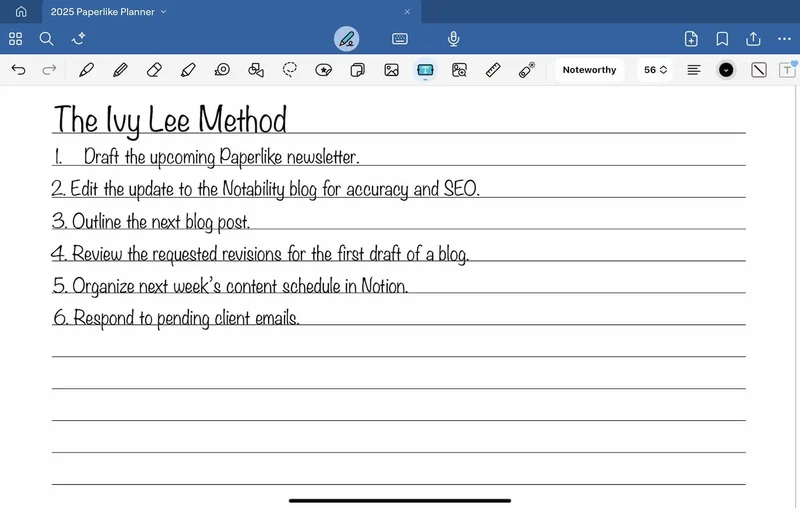
My six top priorities. (Image: Goodnotes / Screenshot by Lindsay Armstrong / Paperlike)
Six slots, clearer focus
When I picked up the Ivy Lee Method, I wanted to see if a simple structure could help me manage multiple writing projects without burning out or constantly switching contexts.
What was I aiming for? To end each day with a clear plan, focus on meaningful tasks, and stop overloading my to-do list.
I started by writing my six tasks each evening. A typical list might look like this:
- Draft the upcoming Paperlike newsletter.
- Edit the update to the Notability blog for accuracy and SEO.
- Outline the next blog post.
- Review the requested revisions from the first draft of a blog.
- Organize next week’s content schedule in Notion.
- Respond to pending client emails.
The first morning felt different. Instead of wasting time figuring out where to start, I had already lined up my priorities. I opened my laptop and went straight to the top task. By midday, I had finished the first two items and could actually feel the mental space clearing.
The biggest surprise was how well it curbed multitasking. When my mind started drifting toward smaller, low-effort tasks (like those emails at the end of the list), I used the list as a reminder to stay on track. I wasn’t juggling ten open tabs or hopping between projects anymore.
It also made my evenings calmer. Knowing exactly what carried over into tomorrow meant I could shut down without the nagging feeling that I’d missed something.
The only challenge was honesty. It’s easy to fill the list with things that feel productive, rather than things that actually move the needle. Once I started choosing the hard, high-impact tasks first, my workdays felt smoother and more intentional.
If you’re working on improving your focus or your study habits, you might like our Study Technique Quiz. It includes a free-to-download ebook on 10 effective ways to study, which can help you discover how you learn best and build routines that stick.
Simple, practical, and surprisingly grounding. The Ivy Lee Method is proof that structure doesn’t have to be complicated to work.
|
|
Image: Paperlike
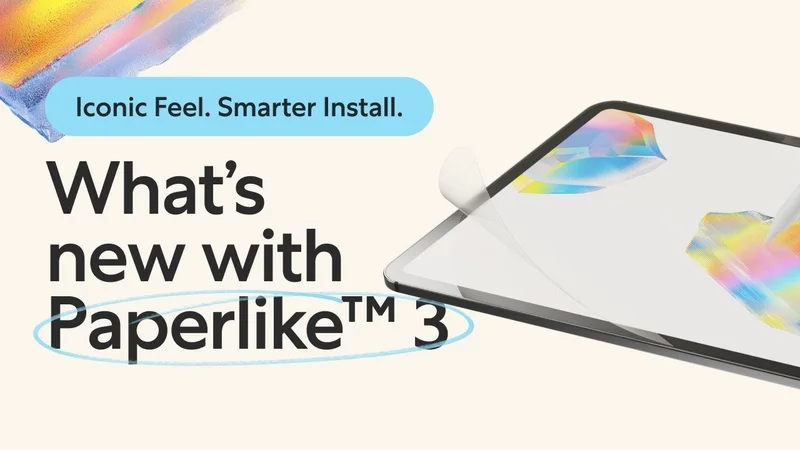
ICYMI: Paperlike 3 is here!
If you missed the news, Paperlike 3 has officially landed.
It keeps the same natural paper-feel you love but introduces two major upgrades: refined Nanodots technology for even better precision and the Butterfly™ Application System for an easy, dust-free install every time.
|
|
Together, we make it work
Productivity might start as a personal goal, but it thrives in community. Whether it’s sharing ideas, testing new methods, or cheering each other on, we get further when we do it together.
Thanks for being part of the Paperlike community and for showing up each month ready to grow, learn, and build better habits.
Until next time!
Lindsay
Productivity & Notetaking Writer |
|
|
|
|