Hello there, Paperlikers!
It's me, Alanna, from Paperlike back for another artist newsletter.
Okay, quick question: when was the last time that you reviewed your creative process? 👀 It is the key to the finely tuned machine of our art, after all.🔑
That's why we're going to be sharing resources and tools to make creating easier and more efficient. How's that sound?
We'll also take a look at the latest updates from Affinity and Behance, along with brush packs and more.
Ready? You don't want to get left behind!

|
|
This month: Gadgets and gizmos aplenty
Everyone deserves thing-a-mabobs as part of their world 🧜️. In this case, we're talking about tools and resources that make creating easier.
After all, our energy is precious and we shouldn't have to reinvent the wheel to get things done. And who knows, you might just end up learning about yourself and your process along the way.
So, if you're ready to be a lean, mean, creative machine, check out these tools and resources that can give you an edge.
Refining and transforming your creative process
- Keyboard Shortcut Covers. If you're like me, you love a good shortcut. So why not have the shortcuts written on your keyboard? Keyboard covers come in handy when working in programs like Illustrator, Photoshop, and Adobe Fresco. It's like having your own creative cheat sheet, so take advantage!
- How to use a mockup template step by step. You don't have to wait to see your work brought to life. Quickly and easily envision your work on real objects through the power of mockups. This blog post from Creatsy easily breaks down how to use these, along with free downloadable mockups for you to use with your own work.
- Transform your work with Adobe Aero. Let augmented reality take your work and bring it to you. With the power of the Adobe Aero app, you can place your Photoshop or Illustrator files into your space and add depth and animations. Reimagine your work in a 3D space and manipulate your layers in Aero for the iPad or iPhone.
- Develop your Signature Style Guide. This free, in-depth 50-page workbook from artist and Paperlike Ambassador Peggy Dean is a huge tool for discovering your style. She helps you create a framework for your art practice while helping you generate new ideas for your work. It's all about experimentation and giving your process a jolt of energy as you venture off into exciting new directions.
- Enjoy the magic of Adobe Photoshop Express. If you want to edit and add to your photos without the hassle, check out the power of Photoshop Express. Not only can you enjoy a number of the classic tools from the desktop program, but you can do even more with just a few simple clicks and sliders. Perfect for all-in-one editing and photo sharing!
|
|
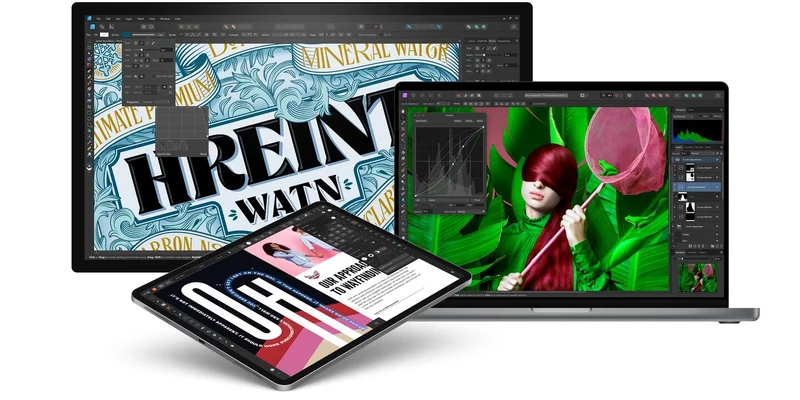
Image: Affinity by Serif
ICYMI: The latest Affinity V2 program suite updates
Affinity V2 for the iPad represents a powerful suite of programs that are a great Adobe alternative. With their one-time purchase model, you can bundle or simply purchase the ones you need.
They also pack a huge punch on performance, capabilities, and more. If you're not familiar with their programs, I suggest you check out their drawing program, Affinity Designer, in our review.
Here are some of the V2 updates you can enjoy right now:
- 🔹 Node Tool shortcut. After you double tap an object, you can reactivate the Node tool after switching to the Move tool by double tapping again.
- 🟦 Key Object Spacing. Space out your objects evenly based on the position of any two objects you have selected.
- 📐 Match Size Rotation. Select a key object to base the size and rotation of other objects on your canvas.
- 📷 Improved RAW files new camera models. Affinity Photo now supports over 50 new cameras and PNG files.
If their power and constantly evolving features weren't cool enough, Affinity offers wide compatibility as well. You can find Affinity programs for iPad, Mac, and Windows, and when you get Affinity V2, you'll get free upgrades going forward. Isn't that sweet?
Brushes of the month
An artist is nothing without their tools, and a digital artist's best tools are the brushes they use. And there’s no such thing as having too many brushes.
That’s why we’re bringing you the latest and greatest from the world of digital brush packs.
Whether you’re a Procreate fan or an Adobe loyalist, our round-up has something for everyone.
Let’s take a look at this month’s picks:
|
|
Image: Shoutbam
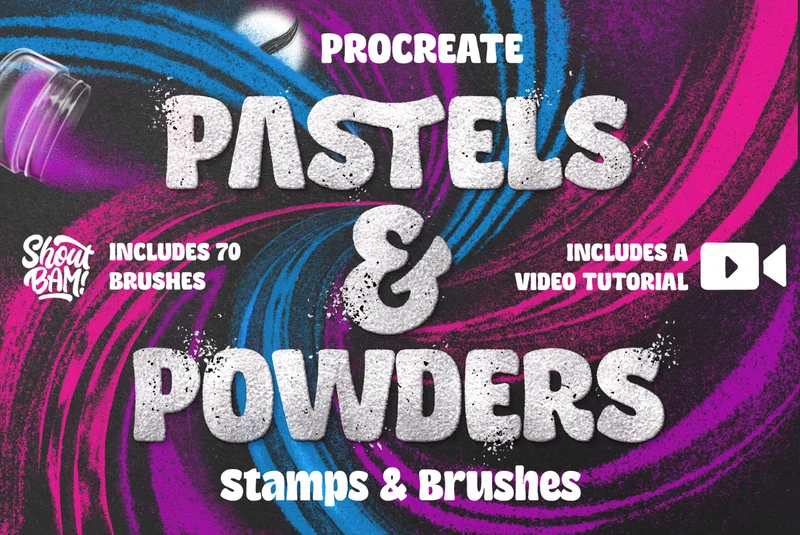
Pastels & Powders Brush set by Shoutbam
Want to turn your work up a notch? This Pastels & Powders brush set by Shoutbam is perfect for lettering and illustration. It's an analog-inspired mixed media set that has cool shaders and stamps to give a fun, powdery effect to your digital art in Procreate.
The set comes with over 70 brushes, a video tutorial, and a handy guide so you won't skip a beat!
|
|
Image: Felippe Cavalcanti
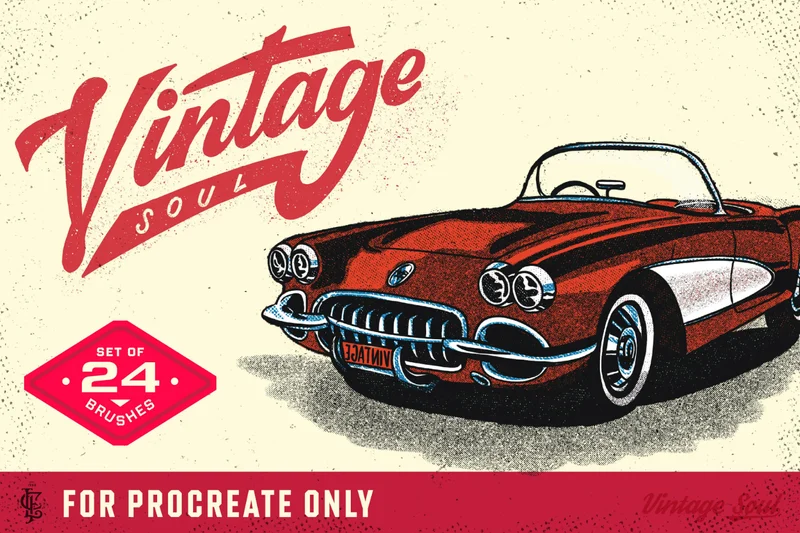
Vintage Soul Brushes Volume 1 for Procreate by Felippe Cavalcanti
Sometimes, you just feel like taking things old school 😎. The Vintage Soul Brushes Volume 1 for Procreate set by Felippe Cavalcanti will be sure to take you back in time. It includes cool textures like half tones, scratches, and more in a set of over 20 brushes.
Use them alone or layer them together for even deeper effects on your work in Procreate.
|
|
Image: Nathan Brown
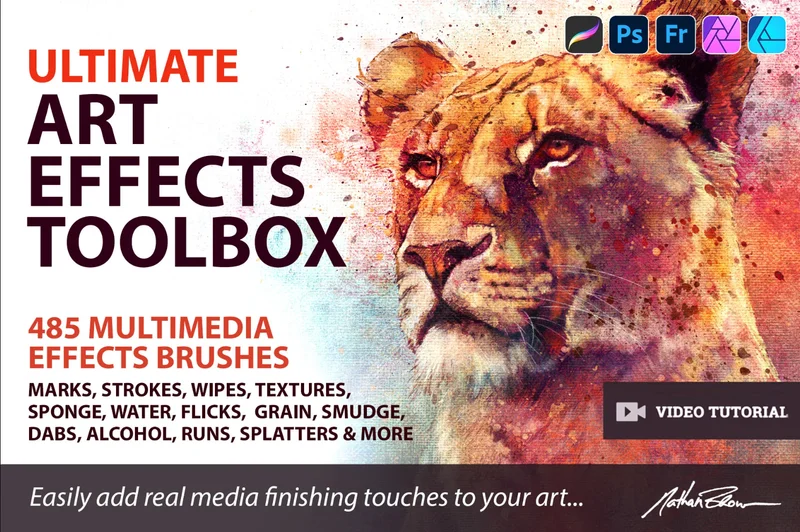
Ultimate Art Effects Toolbox by Nathan Brown
More is more! And that's what this Ultimate Art Effects Toolbox by Nathan Brown gives artists. It's a massive pack of different effects for your artwork that really is like a digital art toolbox. With over 400 brushes, you'll be able to add strokes, grain, splatters, and more. The brushes have been created using real art and media effects, giving you high-quality results.
And why limit yourself to one program? Enjoy this brush set in Photoshop, Fresco, Affinity, and Procreate.
|
|
Image: Behance / Adobe
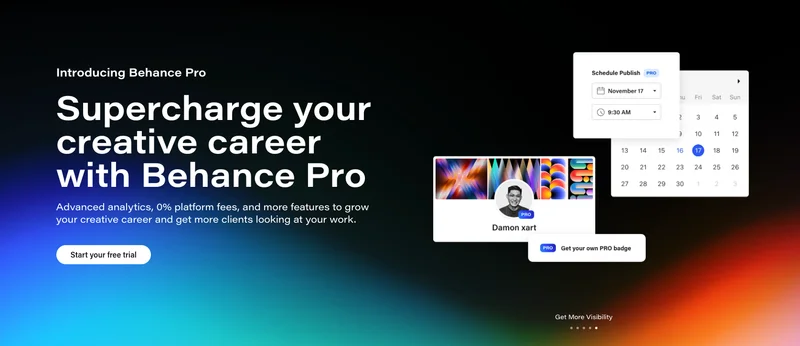
Scroll-stopping takes: Behance goes pro! Will you?
Behance is a social media platform that was founded in 2005 and acquired by Adobe in 2012.
Now, with over 20 million creatives on the platform, Behance has started a shift in its role in the creative community.
They've just announced that they are going to offer premium features that cater to freelancers, called Behance Pro. You can start with a 7-day free trial and then upgrade for $14.99/month or $9.99/month with an annual commitment.
With a Behance Pro subscription, you'll also get access to advanced analytics, 0% platform fees, control over your project visibility, and more. This is a game changer for artists looking to sell assets and acquire client work. We've also seen this shift from other artist platforms like DeviantArt back in 2021.
I've known about Behance since college and it's always been like a secondary portfolio for me. Personally, I'm intrigued, but I'm not super excited about adding another subscription to my deck. But what do you think about this change, and do you think it'll be worth it? 🤔
|
|
Image: Paperlike
Get a (better) grip
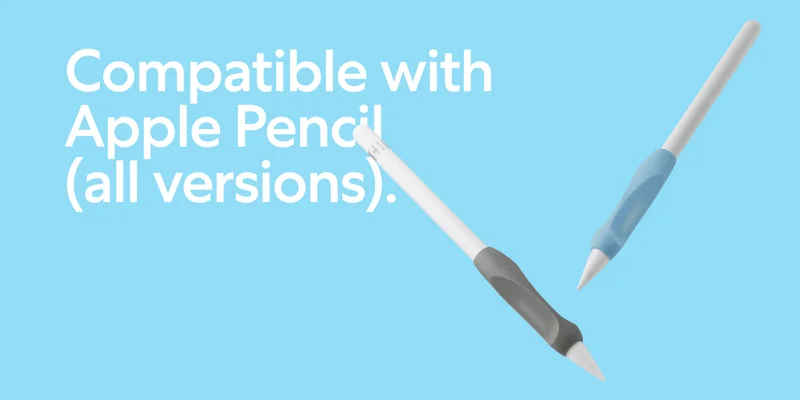
*Drum roll* Introducing our newly redesigned Pencil Grips (2nd Generation)—the perfect companion for your creativity on the iPad!
These grips represent the best of both worlds with the features from our Maximum Comfort Grip and Maximum Precision Grip in a single product.
Paperlike's Pencil Grips are an ideal accessory for drawing because they reduce your grip fatigue while also improving stroke accuracy.
Each pack comes with a grip in Charcoal and Paperlike Blue so you can switch them out to match your current vibe. Improve your control and create your best work with our latest Pencil Grips.
Get grippy.
Let's wrap it up
And that's all I've got for you in this month's newsletter.
As much as machines and technology can help us, don't forget the real magic comes ⭐from the inside⭐.
And don't forget to bring your Paperlike along for the ride.
It reduces screen glare and adds a nice texture to your iPad that makes drawing on the iPad feel more natural.
Okay, I'm tired, so I'll see you at the next one!
Alanna
Digital Arts Writer
Paperlike

|
|
This email was sent to name@example.com because you've subscribed to our newsletter or made a purchase through our site. You can change your content preferences anytime.
No longer want to receive these emails? Unsubscribe. Paperlike GmbH Ballindamm 3 Hamburg, Hamburg 20095 |
|
|
|
|