Hello again, Paperlikers!
Even with an extra day (Yay, leap year!), February went by way too fast. 😩
That’s just the way it goes: Time is always zooming by. With that in mind, this month’s newsletter features some tools and hacks that’ll help you be more efficient and make the most of your time.
Let’s jump in!
|
|
Image: Evernote
Evernote is making waves
Evernote is a pretty popular notetaking and productivity app that we’ve covered in the past (check out our review here).
Whether you use it or not, you might be interested in some of the changes happening right now.
The first big thing to note is that all legacy versions will stop working on March 23, 2024. 🚫
This means any versions of Evernote released prior to v10 on macOS, Windows, and Android (iOS has been decommissioned for some time now). Evernote says this is only 1% of users, so you won’t likely be affected.
You can check out Evernote’s blog to learn more about this situation and find out if your version is being decommissioned.
On a positive note, Evernote is working hard to upgrade its most current version, and in that regard, has made 14 of its popular features available to all users (including those on the free plans!)🥳.
You can read about these features here, but it’s safe to say that whether you’re on a free plan or a personal plan, the app just became even more useful!
|
|
This month: Gadgets and gizmos aplenty
We’re all looking for ways to save time and be more productive. (At least, I’m guessing you are if you’re reading this newsletter all about productivity. 😉)
Here’s some cool tools that you might not know about that can help you do just that:
- Twodos. This new app is completely free (no in-app purchases) and forces you to add every task to either the "Sooner" list or the "Later" one. It’s a simplistic app that’s perfect for the Commitment Inventory (the productivity method I took for a spin this month, which you can read about below). You can learn more about the app in this blog by Make Use Of.
- Summarize With AI: A Comprehensive Guide. There are so many things you can do with AI these days, but did you know you can have it summarize long documents for research purposes or your own writing to condense your points? Check out this article to learn how you can make the most out of summarizing with AI.
- The Notability Gallery. If you’re a Notability user, you’ve probably already explored the Gallery for templates and note papers. But did you realize that you can also find collaborative or shared notes? Lots of students upload their own detailed notes, study guides, and other materials that you can use to save time when you’re studying.
Looking for a great physical tool that’ll help you be more productive? That’s coming up next!
|
|
Image: Paperlike
Get a (better) grip
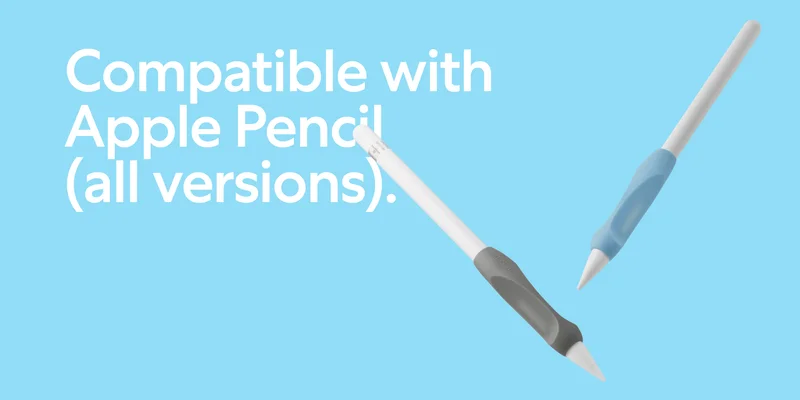
Introducing our newly redesigned Pencil Grips (2nd Generation) — the perfect tool for unleashing your creativity on your iPad!
Instead of choosing between the Maximum Comfort Grip or Maximum Precision Grip seen in the first iteration of this product, we took the best features of each and combined them into a single body.
Don’t worry! You’ll still get two Pencil Grips in each package.
This set features a Charcoal and a Paperlike Blue, allowing you to turn every stroke into a style statement. Grip, glide, and let your creativity shine! |
|
Image: Todoist
Lindsay’s productivity spotlight: Commitment Inventory
This year, I’m on a mission to test-drive some fresh productivity methods.
Each month, I'll dive into a different approach, give it a spin for a few weeks, and spill all the details of my experience.
About the Commitment Inventory
Do you often feel overwhelmed, with too much to do? I know I certainly do. Like ALL THE TIME. That’s why I chose to check out the Commitment Inventory this month.
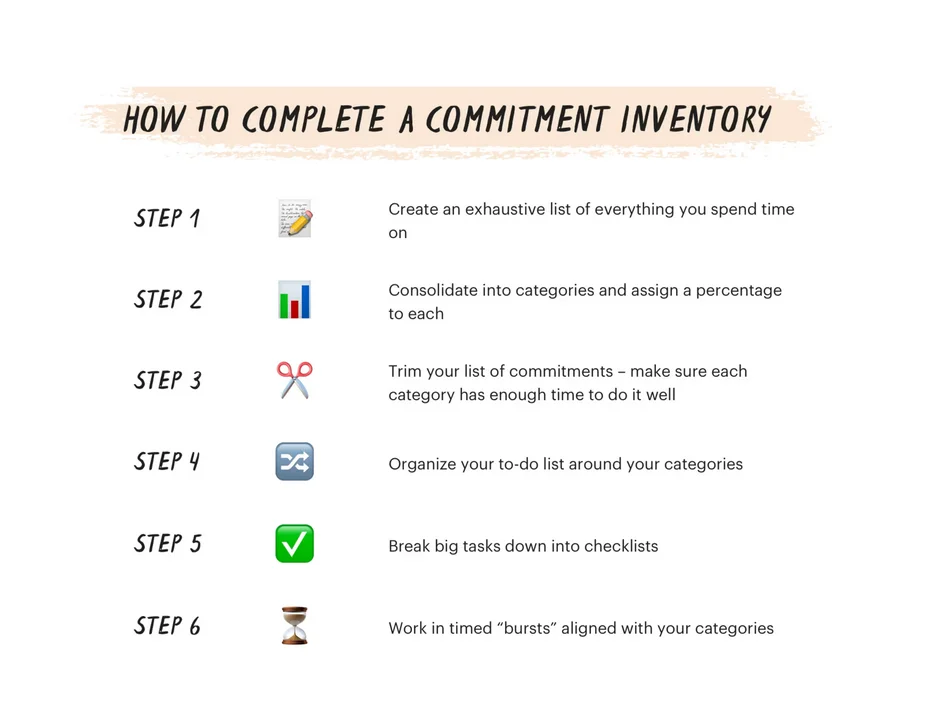
The Commitment Inventory method is a productivity technique designed to enhance focus, prioritize tasks, and, ultimately, improve overall performance.
The concept: At its core, it involves creating a detailed inventory of commitments, both short-term and long-term, and diligently tracking progress on each one.
The goal: The structured framework helps to manage time effectively and ensures that energy is invested in the most meaningful and impactful activities.
You can find tons of blogs and articles about this productivity system, but I like Todoists’ explanation. (I’m a fan. Can you tell? 😜) If you’re more of a visual learner, you can check out their YouTube video instead.
Navigating the commitment maze
When I began, I thought the Commitment Inventory was pretty similar to the Eat the Frog method, but I was wrong.
Unlike Eat the Frog, which focuses on tackling the hardest tasks first, Commitment Inventory is all about prioritization. It zeros in on the most important or urgent tasks, making it a game-changer for my productivity.
Over the past few weeks, I’ve integrated this method into my routine.
What was I aiming for? Find a better system to prioritize tasks and boost overall productivity.
As I plunged into the Commitment Inventory universe, the first task was assembling the Grand List — a comprehensive compilation of all my commitments, from work projects to household chores and even the activities I wanted to do for fun. It was like turning on the lights in a room I never knew I had. Clarity became an unexpected but very welcome guest.
The sheer volume of commitments was overwhelming. I wondered how on earth I could fit everything into my schedule.
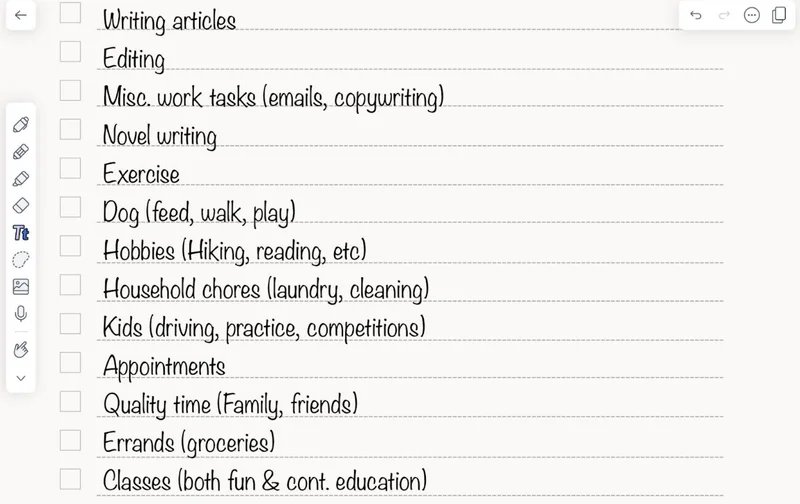
I spent a lot of time trying to prune my list and organize everything into categories. Here’s what my finalized list looked like:
|
|
One of the hardest parts for me was trying to figure out how much time (percentage) I wanted to devote to each category. Everything needed (or I wanted) to get done, so I had to make some hard choices.
But then, it was time to embark on the craft of turning commitments into bite-sized victories. It felt like I was crafting a roadmap to glory, you know? Each task became a step towards this map of productivity, and suddenly, the overwhelming became conquerable.
By week three, I had prioritization down to an art.
Distinguishing between urgent and important tasks helped me to plan out my time with precision. Then, it was just a matter of getting those urgent tasks done first before worrying about the things that weren’t quite as important.
Yet, this system brought its fair share of challenges. Little things like emails and quick projects were distractions that tried to lure me off from my most urgent tasks.
But here's the kicker: The Commitment Inventory also introduced accountability. Regularly reviewing and updating my commitment list prompted self-reflection and adjustment of priorities. I learned how to handle changes and to quickly decide which tasks could get pushed to the side or dropped entirely.
By the end of the month, I’ve finally gotten the hang of things, and I feel like I’ve got a better handle on all my responsibilities.
So, if you're ready to transform your commitments into a triumph story, give the Commitment Inventory a whirl.
|
|
Image: Happy Downloads
Productivity bonus: Tips to get the most out of your iPad
iPads are amazing devices, and I feel like I’m always learning new ways to use mine, like hidden features or tricks that I just never noticed until someone points them out.
While you may already know some of these, hopefully, you’ll find something new and useful in one of these resources!
- 8 AMAZING iPad Tips I wish I knew YEARS ago! Did you know that you could have your iPad read any webpage to you? Or that there’s a hidden calculator? Me neither. But thanks to tech reviewer, Proper Honest Tech, now I do!
- 13 iPad Hacks You NEED to Know 🤯 Level Up Your iPad Productivity. If you’re a digital planner or journaler, you’ll love some of the tips in this video. Learn how to cut out and drag and drop images to your planner, add color fill to daily blocks, create custom colors, and more.
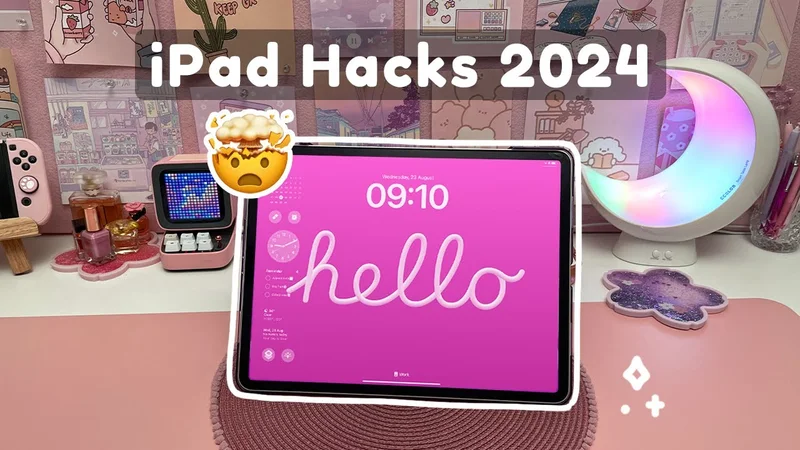
- 15 iPad Hacks You Need to Know for 2024. New to the iPad? This article contains some basic tips on how to make the most of it. Learn about shortcut gestures, how to open multiple screens with multitask, how to use your iPad as a scanner, and more.
Exploring your iPad's endless possibilities can be a continuous journey. With these valuable tips and hacks, I hope you unearth fresh insights to elevate your iPad experience and make the most of its incredible features. |
|
As I wrap up this month’s newsletter, I trust these insights and tools will help to fuel your efficiency and productivity. Until next time, stay inspired and make the most of your endeavors.
Cheers to your continued success!
Lindsay
Productivity & Notetaking Writer
Paperlike |
|
This email was sent to name@example.com because you've subscribed to our newsletter or made a purchase through our site. You can change your content preferences anytime.
No longer want to receive these emails? Unsubscribe. Paperlike GmbH Ballindamm 3 Hamburg, Hamburg 20095 |
|
|
|
|